


GotSport Live
3.013.00 Reviews
App Specs
- Version
- 1.1.1.9
- Updated On
- License
- Free
- Downloads
- 10,000+
- Developer
- GotSoccer LLC
- Categories
- Sports
- Platform
- Android
Screenshots
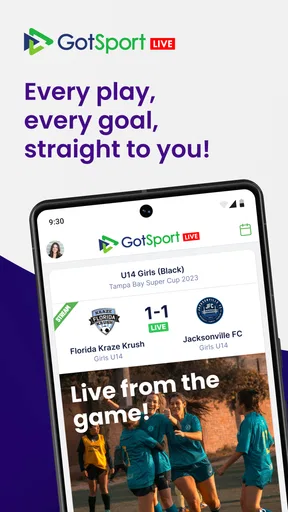
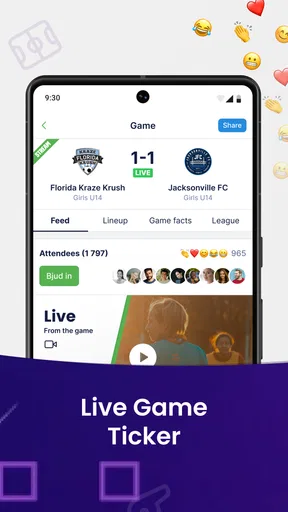
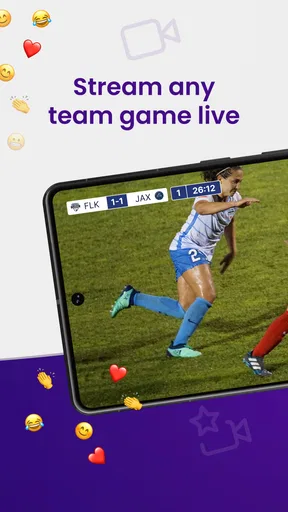
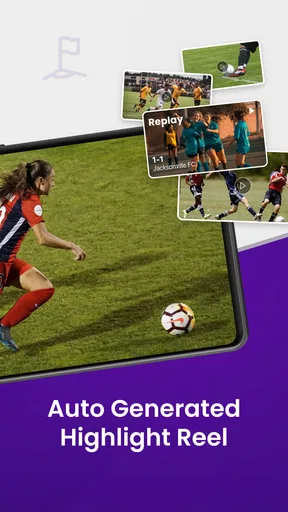
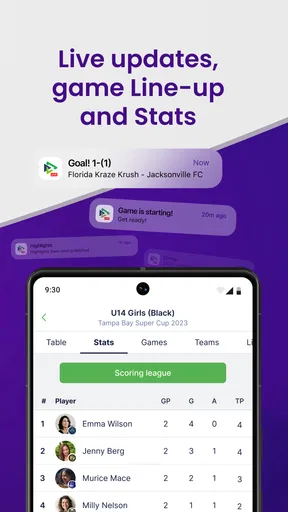
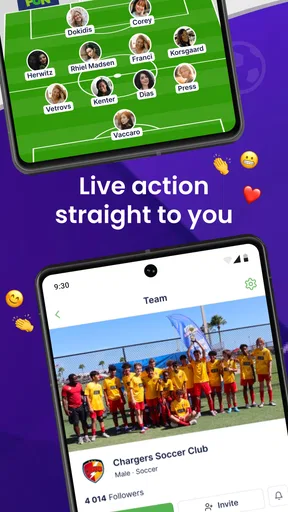
 Analysis by AppCompare
Following a youth soccer match from the sideline is easy when you are already there, but it becomes much harder when family members, coaches, or teammates are somewhere else. GotSport Live is built around that gap: it is a free sports app from GotSoccer LLC that brings live match activity to a phone or tablet. I found its appeal less in flashy extras and more in the simple idea of keeping remote supporters connected to an event they cannot attend.
That sounds straightforward, yet live sports apps are judged by small moments. Can I find the correct event without wasting time? Does the app show useful information when I need it? If something fails, is the problem the app, the connection, or the event itself? Those questions matter more here than a polished first impression. My experience is that the app can be useful for people already connected to GotSport events, but it is not a universal replacement for every scorekeeping, streaming, or team-management tool.
Getting past the first points of friction
The first likely stumbling block is knowing what you are looking for before opening the app. A parent searching for a child’s match may have several teams, fields, or event entries in mind. A broad search without a clear event name can quickly become confusing, especially when the important detail is the exact fixture rather than the team in general. I recommend keeping the event name, team name, and match timing nearby before beginning. That small preparation makes the first session much less frustrating.
Another practical issue is expectation. The app’s purpose is live sports information, not necessarily a complete replacement for every service surrounding a tournament. If you are expecting a full social feed, a detailed coaching workspace, or a dedicated video platform, you may approach it with the wrong idea of what it should do. I treat it as a way to follow live action connected to GotSport, not as the only app needed for every part of a season.
Its store summary presents the experience as live action available wherever you are. In real use, that promise depends on more than the application itself. The event must be represented correctly, someone must be supplying the relevant updates, and the phone must be able to reach the service. If one of those links is weak, the screen may appear less useful even though the installation is fine.
The app is free, which removes an important barrier for occasional viewers. I can see why that matters to a family member who only wants to check a match while away from the field. It also makes trying the app low-risk. Still, free access should not be confused with guaranteed coverage of every local game or every type of live detail. The best experience will naturally be tied to events that are actively connected to the GotSport system.
What to check before blaming the app
My first setup check is the device itself. GotSport Live supports Android devices running version 6.0 or later, so an older phone may be the reason installation or normal use becomes difficult. On a supported device, I would close other demanding apps, confirm that the operating system is reasonably stable, and restart the phone if the app behaves strangely on its first launch. These are ordinary steps, but they often separate a genuine app problem from a tired device.
Worth Reading Before You Choose

Baby Panda World Brings Quick Play to Modern Phones, but Its Game Library Feels Busy

ESPN’s Live Game View Makes Following Close Games Easier

QuizzLand Review: A Good Fit for Short Trivia Breaks, Not Every Player

Basketball Stars: Multiplayer Is Fast, but Can It Recover When Matches Go Wrong?

WEBTOON Turns Phone Updates Into a Better Reading Routine

Link to Windows Runs on Shared Habits, Not Social Feeds
Next, I would test the connection before an important match begins. A weak mobile signal can make a live service look frozen, while a crowded public Wi-Fi network can create delays that are easy to mistake for missing match activity. Switching between Wi-Fi and mobile data is a useful comparison. If one connection works and the other does not, the result points toward the network rather than the installation.
It is also worth checking whether the selected event is the right one. Similar team names, age groups, and tournament entries can make a perfectly functioning app appear empty or irrelevant. I prefer to search deliberately, then pause to compare the displayed event details with the information supplied by the organizer or team contact. This is one of the most useful habits for live-event apps: confirm the identity of the event before judging the quality of its updates.
For a smoother match-day routine, I would open the app before leaving for the venue, locate the relevant event, and avoid waiting until the opening whistle. This gives me time to correct a mistaken search, reconnect to a better network, or ask the team contact which event entry is correct. It also prevents the common situation where several relatives all start troubleshooting at the same moment because nobody prepared in advance.
The current version is 1.1.1.9. I would keep the app updated through the normal app-store process, particularly before a tournament weekend. Updating is not a guarantee that an event will work, but it avoids spending time diagnosing behavior that may already have been addressed in a newer release. I would also make sure there is enough free storage for ordinary app updates and that the phone is not operating in an extreme battery-saving state during a long match.
A sensible workflow when live information seems stuck
When the screen does not change, I avoid repeatedly tapping every visible control. That rarely helps and can make it harder to tell what happened. Instead, I use a simple recovery order: confirm the event, check the connection, leave and reopen the app, and then try the other available connection. If the problem appears only on one device, I compare it with another family member’s phone. This comparison is especially useful because it tells me whether the issue follows the account or device, or whether everyone is seeing the same thing.
If several people see the same lack of activity, I would contact the team or event organizer rather than immediately reinstalling. Live information has to be entered or transmitted from the event side. An app can display what reaches it, but it cannot create an update that was never supplied. This is an important distinction for parents: a quiet screen does not automatically mean the app has failed.
Reinstalling is a later step, not my first one. It can clear damaged local state, but it also adds inconvenience and may require me to repeat the initial search. Before taking that route, I would note the exact event, the time the issue occurred, the connection being used, and whether another device had the same problem. That information is far more useful when asking for help than simply saying that “live scores do not work.”
I would also avoid judging the service during a single brief delay. Live sports updates are not always identical to being physically beside the field. There may be a pause between an event occurring and information appearing on a remote screen. If the app resumes after a short wait or after reconnecting, that is a different experience from an event that never appears at all. Knowing the difference helps set a fair expectation without ignoring real reliability concerns.
One non-obvious advantage of this approach is that it keeps the family’s communication organized. Instead of five people searching for different versions of the same match, one person can verify the event and share the exact name with everyone else. Each viewer can then open the same entry and compare what they see. That reduces duplicate troubleshooting and makes it easier to identify whether the issue is local or shared.
When the app is not the right tool
GotSport Live makes the most sense for supporters who need remote access to live activity connected with GotSport. A parent at work, a grandparent in another city, or a teammate recovering at home can benefit from that focused purpose. It is also a reasonable choice for someone who wants a free way to check an event without committing to a paid sports service.
I would be more cautious if my main need were detailed team administration. Coaches and club staff may need rosters, scheduling controls, player communication, attendance, or other management functions. Those needs belong to a broader workflow than simply following live action. Using one app for everything can be convenient, but forcing a live-viewing tool to handle administrative work usually creates unnecessary friction.
The same applies to video. A live event feed and a live broadcast are not automatically the same thing. If watching the actual match is essential, I would confirm that the event offers the kind of viewing experience I need instead of assuming that live information means live video. For some supporters, a video platform or an organizer’s broadcast channel will be the better companion.
There is also a difference between this app and a general sports-score service. A broad score app may cover professional leagues, national competitions, and many unrelated sports in one place. GotSport Live is more relevant when my interest is tied to the specific soccer events represented in its ecosystem. That focus can be a strength for tournament families, but it makes the app less attractive to someone who wants one dashboard for every sport they follow.
The average rating is 3.0 from around 31 ratings, with roughly 13 written reviews. I read that as a sign to keep expectations practical rather than assuming a flawless experience for every user. The app has passed the early stage of public availability, but the relatively modest amount of feedback means I would judge it mainly against my own use case: do the events I care about appear, and can I follow them reliably when away from the field?
Who will get the most value from it
The strongest audience is families already involved in GotSport-supported soccer events. For them, the app can reduce the need to call someone at the field for every update. A grandparent can check the same match from home, while a parent traveling for work can stay connected during a break. The value is practical and specific: less dependence on secondhand messages when live information is available.
It can also help a group coordinate around a match. Suppose one parent is driving home while another is attending the game. The person at the field can provide context, but the remote viewer can independently follow the event through the app. That division is useful when the family does not want to maintain a constant text conversation. It is not a substitute for direct communication in an emergency, but it can reduce routine interruptions.
I would skip it if I do not follow soccer events connected to GotSport, or if I only want a broad list of professional results. I would also look elsewhere if my priority is advanced statistics, extensive historical analysis, or a polished broadcast experience. The app’s usefulness comes from its connection to live event access, not from trying to be every kind of sports product at once.
For younger users, the Everyone content rating makes the app suitable for a general audience. That does not remove the need for normal family judgment around phone use, notifications, or time spent checking a match. In my view, the rating is reassuring for shared household use, particularly when an adult is helping a child follow a team event.
Everyday use without creating more work
My preferred routine is simple. Before the match, I identify the event and test the connection. During the match, I check at natural breaks instead of constantly refreshing. Afterward, I use the app as a quick reference while relying on the team or organizer for anything that requires official clarification. This keeps the tool in its proper role and avoids turning a convenient live service into a source of unnecessary anxiety.
Battery and connectivity deserve attention during long tournament days. A phone that is already low on power may close background activity or become unreliable under heavy use. I would carry a charger or power bank if following several matches away from home, but I would not assume that a battery accessory can fix a poor network. Keeping the phone charged solves one problem; it does not solve missing event updates.
Another useful habit is to record the event identity in a family message before kickoff. If someone joins late, they can search for the same entry rather than guessing from a team name. This is a small workflow improvement, but it matters when multiple matches happen at the same venue or when a club has several teams with similar names.
For troubleshooting, I would describe symptoms precisely. “The event is visible but has not changed” suggests a different issue from “the event cannot be found” or “the app closes during launch.” Those distinctions help an organizer or support contact determine whether to inspect event coverage, connectivity, or the device. Clear reporting is one of the few things users can control when a live service behaves unexpectedly.
My practical verdict
GotSport Live is a focused, free sports app for people who want to stay connected to live soccer activity while away from the field. I like its clear purpose and the fact that it can serve a real family need without requiring a paid subscription. The developer, GotSoccer LLC, has positioned it around access to live action rather than trying to turn it into a complete club-management or media platform.
My reservation is that the quality of the experience depends on the event setup and the connection as much as on the app installed on my phone. That makes preparation important. Confirming the event, testing the network, and knowing when to ask the organizer for help are not optional extras if I need dependable match-day information.
With over 10 thousand installs, it has reached a modest but meaningful audience, and its release on January 5, 2024, places it in a relatively recent phase of its life. I would recommend trying it when my team or tournament already uses the GotSport environment. I would not recommend installing it blindly as a general sports tracker, nor would I choose it as my only solution for video, advanced statistics, or full team administration.
Overall, I see it as a useful specialist tool rather than an all-purpose sports companion. If your goal is to follow a relevant soccer event from another location, it is worth trying. If the event cannot be found or updates remain absent, work through the setup and connection checks before blaming the app. The best reason to use it is simple: it can make being away from the field feel less disconnected, provided the event and the supporting live workflow are in place.
Pros
- Live scores and match updates are easy to follow on mobile.
- Useful for tracking youth soccer tournaments and league fixtures.
- Team schedules and results are organized in one convenient place.
- Event information can help families plan games and travel.
- A practical companion for players
- coaches
- and tournament spectators.
Cons
- Coverage depends on organizers entering and updating event information.
- Some teams or competitions may have incomplete profiles.
- Notifications can become excessive during busy tournament weekends.
- The interface may feel less useful outside supported GotSport events.
- Results and schedules may be delayed when updates are posted manually.
FAQs for GotSport Live
What is GotSport Live used for?
GotSport Live is designed to help players, parents, coaches, and supporters follow youth soccer events. Depending on the tournament or league, you can use it to view schedules, field assignments, scores, standings, brackets, team information, and event updates. It is particularly useful when attending large competitions where match details may change during the day.
Do I need an account to use GotSport Live?
Some information may be available without signing in, especially public event schedules, scores, and standings. However, certain features can require a GotSport account or access connected to a registered team, club, or event. If you are only following matches, you may not need full registration, but creating an account can make it easier to save teams and receive relevant updates.
Can GotSport Live provide live scores and match updates?
GotSport Live can display scores and event information when tournament organizers, referees, or authorized staff enter updates into the GotSport system. The speed and completeness of updates depend on the event’s administration and internet connectivity. Therefore, a score may occasionally appear late, and users should confirm critical schedule changes with coaches or tournament officials.
Does GotSport Live show schedules, fields, and standings?
Yes, the app is intended to centralize important tournament details such as game times, field locations, brackets, standings, and results. The exact information available depends on how the organizer configured the event. Before traveling to a match, it is wise to refresh the app and check for last-minute changes caused by weather, delays, field moves, or revised competition schedules.
Is GotSport Live free to download and use?
GotSport Live may be available to download without an upfront charge, but the overall experience can depend on the specific tournament, league, or services connected to the platform. Some events may provide public access to basic information, while other features or participation-related services may be managed by organizers separately. Review the app-store listing and event instructions before downloading.


